Creating a consistent learning experience for students.
Role
UX Designer
Timeline
Q1 2024 - Q3 2024
Skills
Interaction Design, UX Strategy, Prototyping, Usability Study

Approximately 43,000 students access D2L Brightspace, learning management system, yearly at Portland Community College. Various courses have different navigation menus. This creates an inconsistent learning experience for students.
Students want a consistent navigational experience. Faculty want to be able to customize their navigation bars to meet the needs of their instructional materials.
This problem was not a linear, rather a conflict of designing a balanced navigation menu that most importantly enhanced the student learning experience while considering course menu customization for instructors.
The first step was to analyze how many navigation menus are currently being used within the LMS. This would assist us when designing surveys but also get us thinking are some of the most common menu items used.
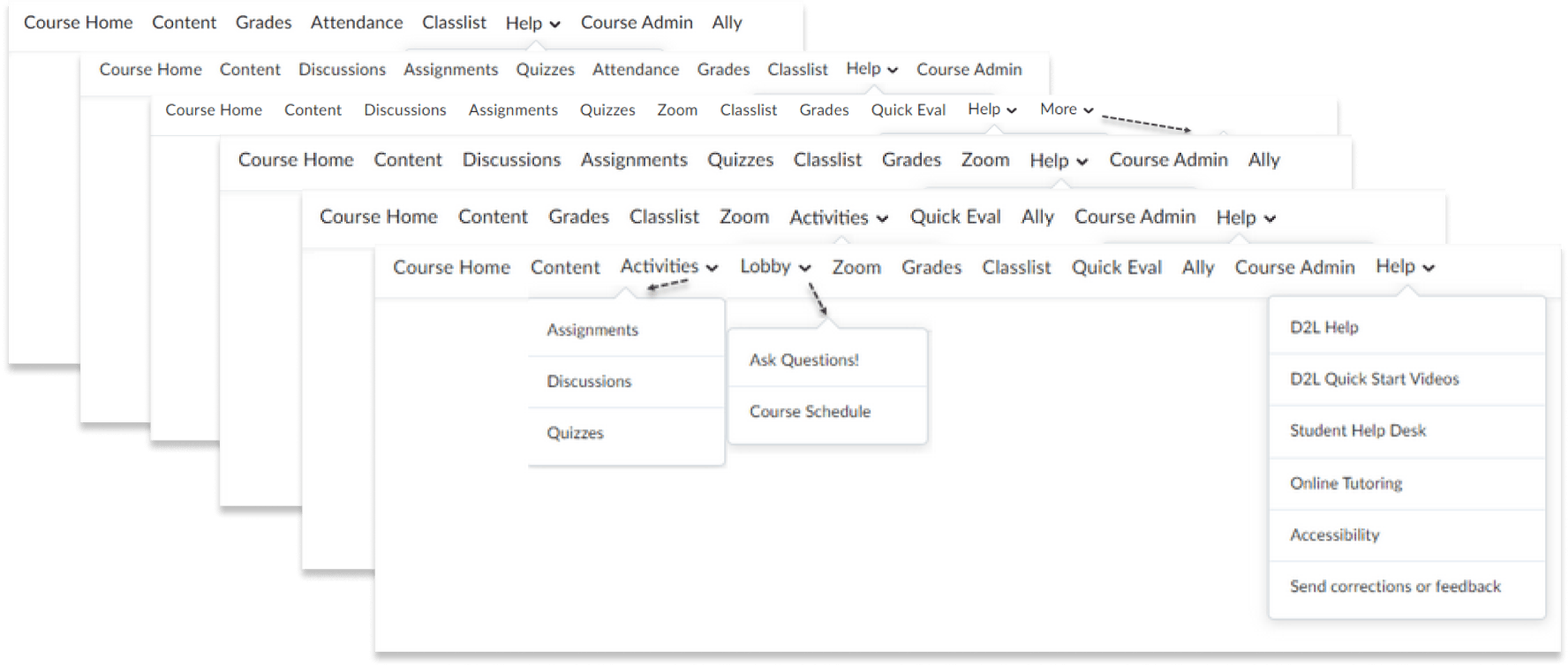
6 standardized navigation menus were discovered, each with a slight difference from the other. This also didn’t take into account the customized menus that live locally in courses. So the next task was to identify how many custom menus are being used by instructors and how they influence students' learning experience in their courses.
Through surveys, data was collected to identify specific thoughts, pain points and needs from students and instructors about the navigation menu in their courses.
Throughout the process of gathering data, the student was the priority.
166 students responded to the survey.
43 Students
Stated the navigation menus are not consistent throughout their courses.
10 of the 43 Students
Stated they would like a standardized navigation menu across all courses.
Courses with different navigation menus make it difficult to find all materials/keep track of what's supposed to be done.
260 instructors were surveyed. We wanted to discover how they were designing their course navigation menus and their thoughts on what works best for the student learning experience.
The results were all based on 55% of instructors who taught both on remotely and in person, 31% who taught remotely, and 14% who taught in-person courses.
35%
Create custom navigation menus.
65%
Use a combination of the 6 standardized navigation menus in D2L Brightspace
36
Participants add specific links to their navigation menus.
37% state it is important to have a consistent navigation menu across all of their courses in D2L Brightspace.
Less than half of the instructor participants stated it is important to have a consistent navigation menu in their course; this may be due to the others wanting to create fully custom navigation menus.
26% of students stated navigation menus are not consistent in their courses. Moreover, 1/4 of those are struggling with consistent navigation.
What is the happy medium here?
Students want consistent navigation, but instructors also want to be able to customize their course navigation bar.
We reached out to other institutions that use D2L Brightspace LMS to see what they were doing with their navigation menus.
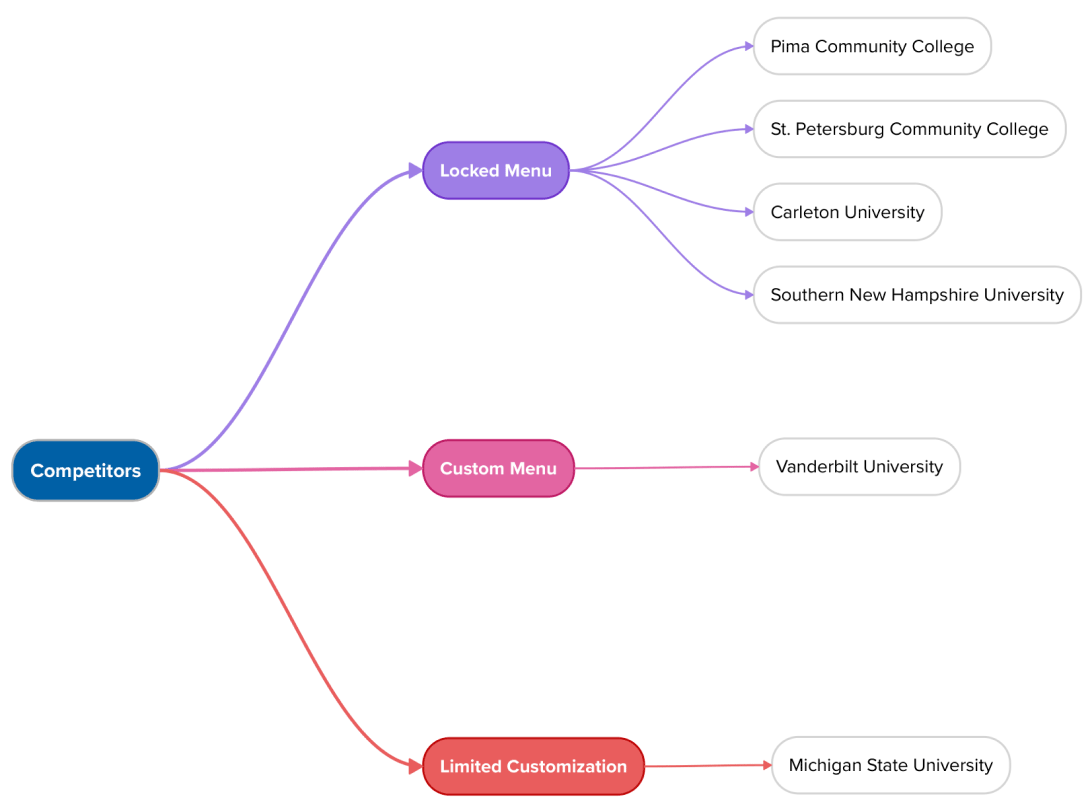
St. Petersburg Community College
“We do lock down our nav bar. We tried out the idea of allowing faculty to customize it with our first pilot group and we found that faculty would get rid of things accidentally and then couldn’t get them back.”
Pima Community College
“The navigation bar is pretty much locked down with little to no adjustment. It takes a wondrous feat to get it changed or updated.”
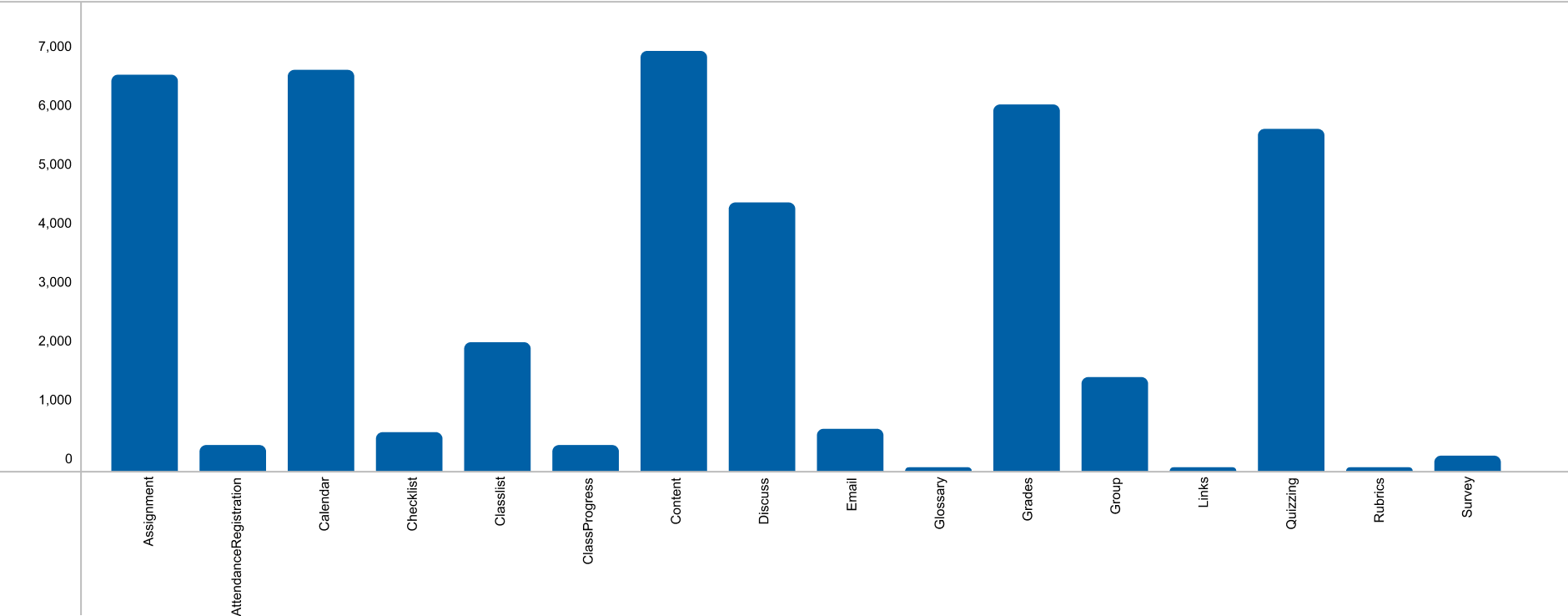
Before beginning to design new iterations of a nav menu, we checked data for the tools with the most usage by students. This was critical in determining which tools to prioritize in the new design to make sure we don’t create inaccessible learning experiences for students.
#1 Content ≈ 6,700 users
#2 Calendar ≈ 6,600 users
#3 Assignment ≈ 6,500 users
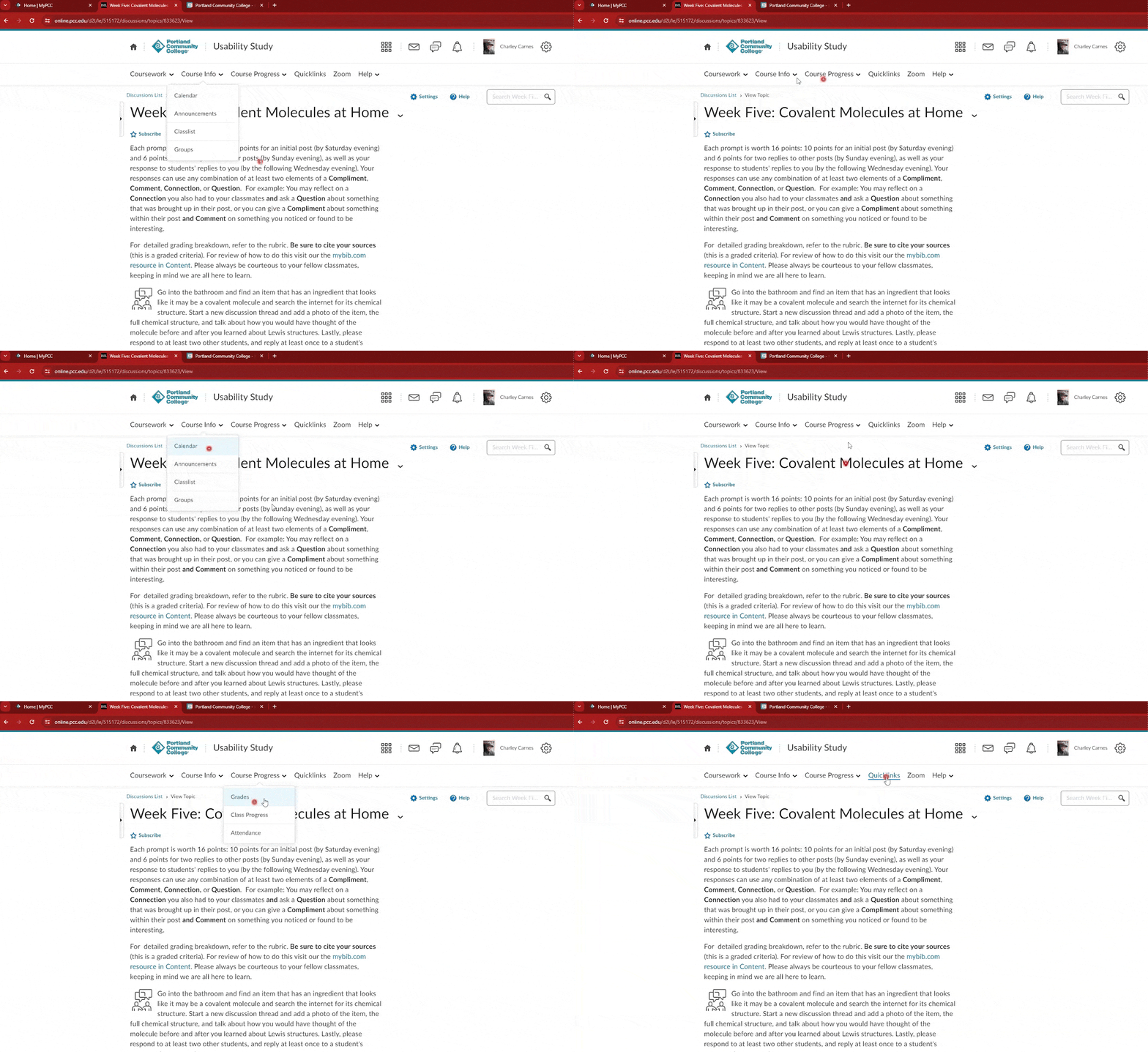
The redesign of the nav menu was an iterative process. 7 rounds of iterations were developed, where every round was critiqued by stakeholders.
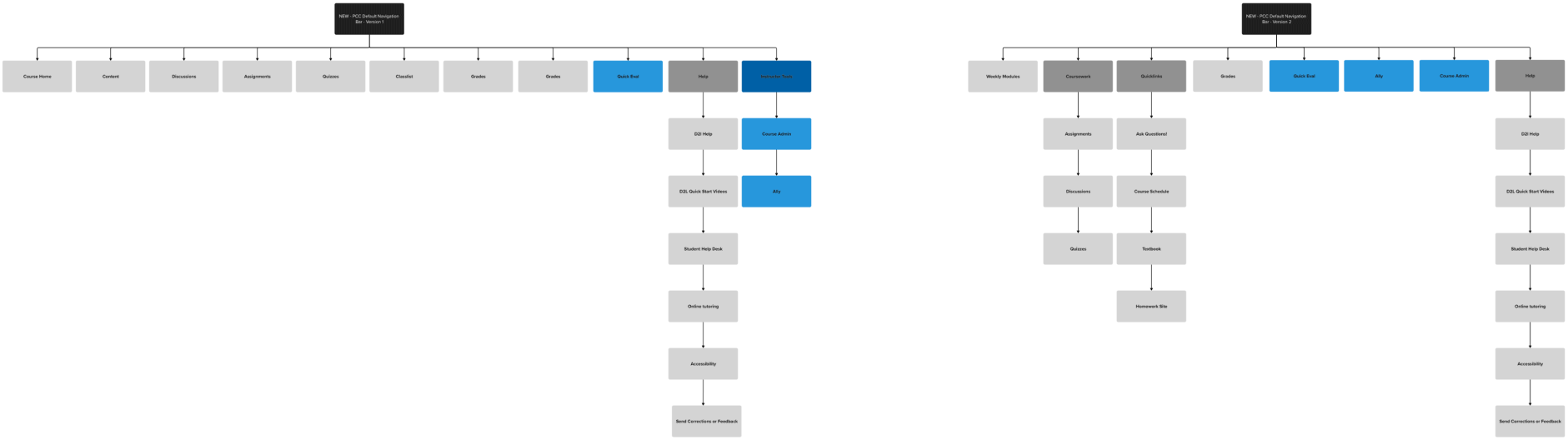
2 foundational menus were designed that were used as guide to create the final iteration.
Through research we made sure to know the limitations of D2L Brightspace and the various ways instructors could create a custom nav menu. We discovered that D2L has a Links tool that allows instructors to insert custom links into a specific page. Also, if instructors didn't need certain tools in the navigation, they would be allowed to, turn tools off from the admin settings.
Lock the navigation menu and allow for custom links through the Links tool!
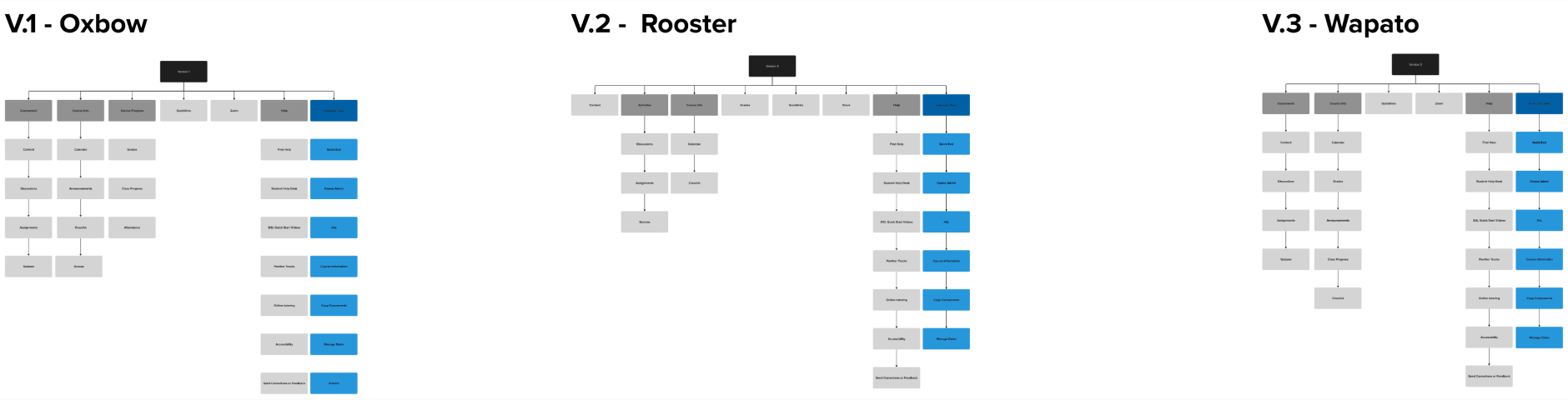
Three final iterations were designed and were ready to be tested.
A moderated usability study was developed to a/b test the 3 menus. Before testing the usability study with students we tested it with stakeholders from our department to assure it was perfect.
A group of 6 diverse students was raffled to test the menus. Some of these students used assistive technologies to navigate their courses.
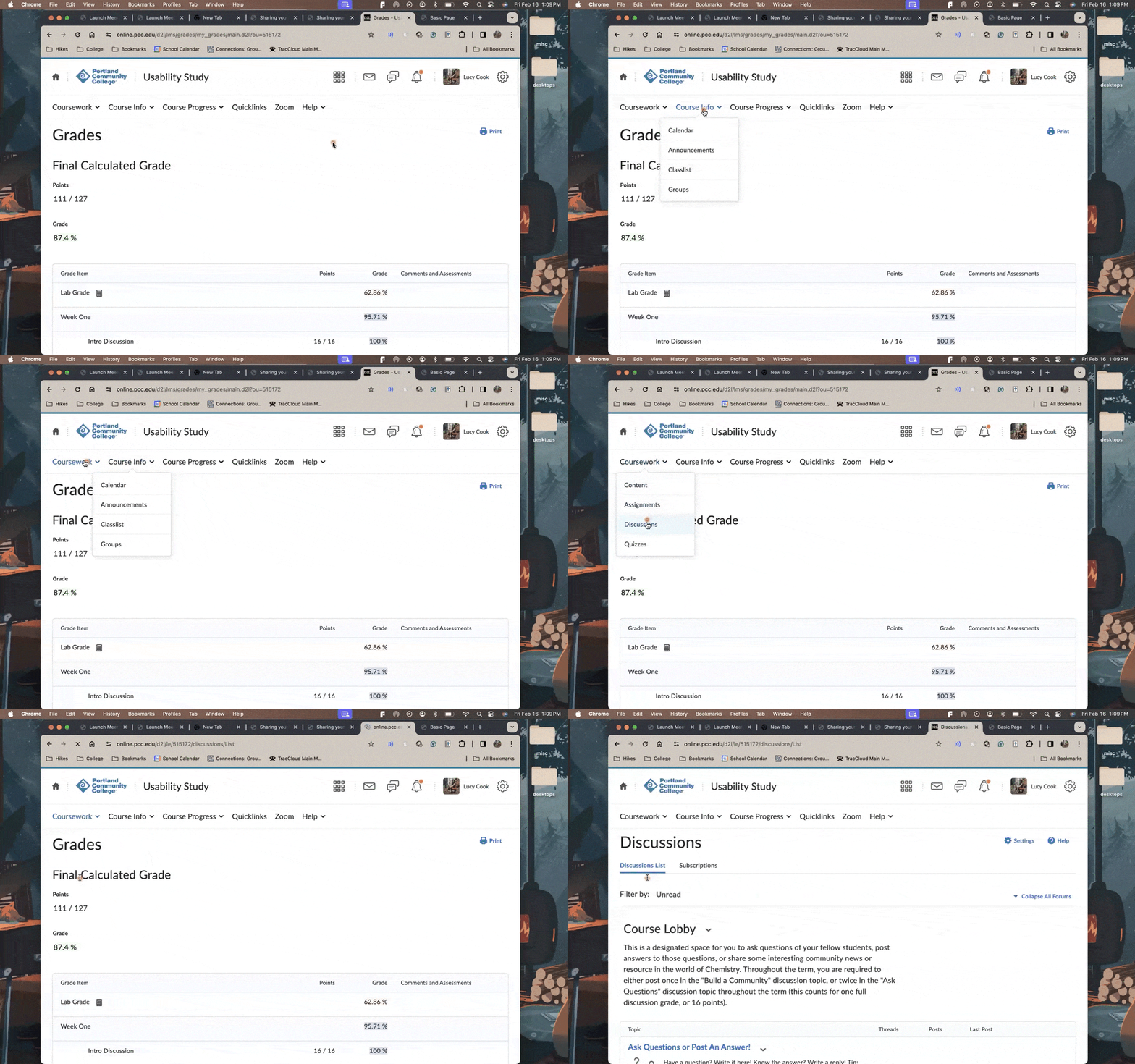
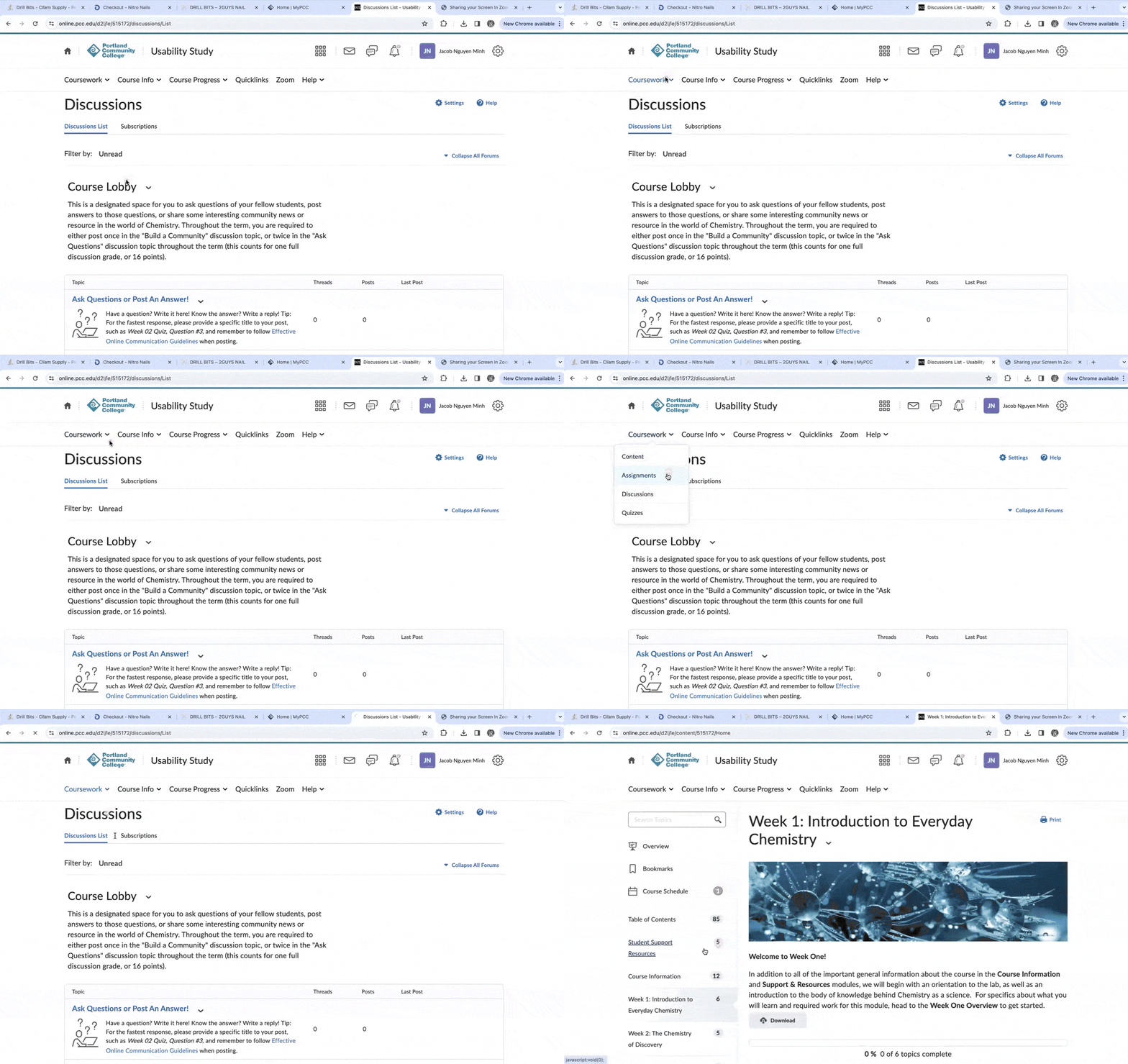

Having unclear drop-down labels makes it confusing and time-consuming to access links for users who use screen readers.
5 out of 6 participants liked the idea of categorization and drop-downs in the menu.
6 out of 6 participants didn’t know the Course Title was a link to Course Home.
Based on the feedback, we reintroduced the Home link in the menu and made sure not to put the most commonly used tool, Content, in a drop-down. We adjusted the label names on the drop-down categories to best represent all the tools housed in them.
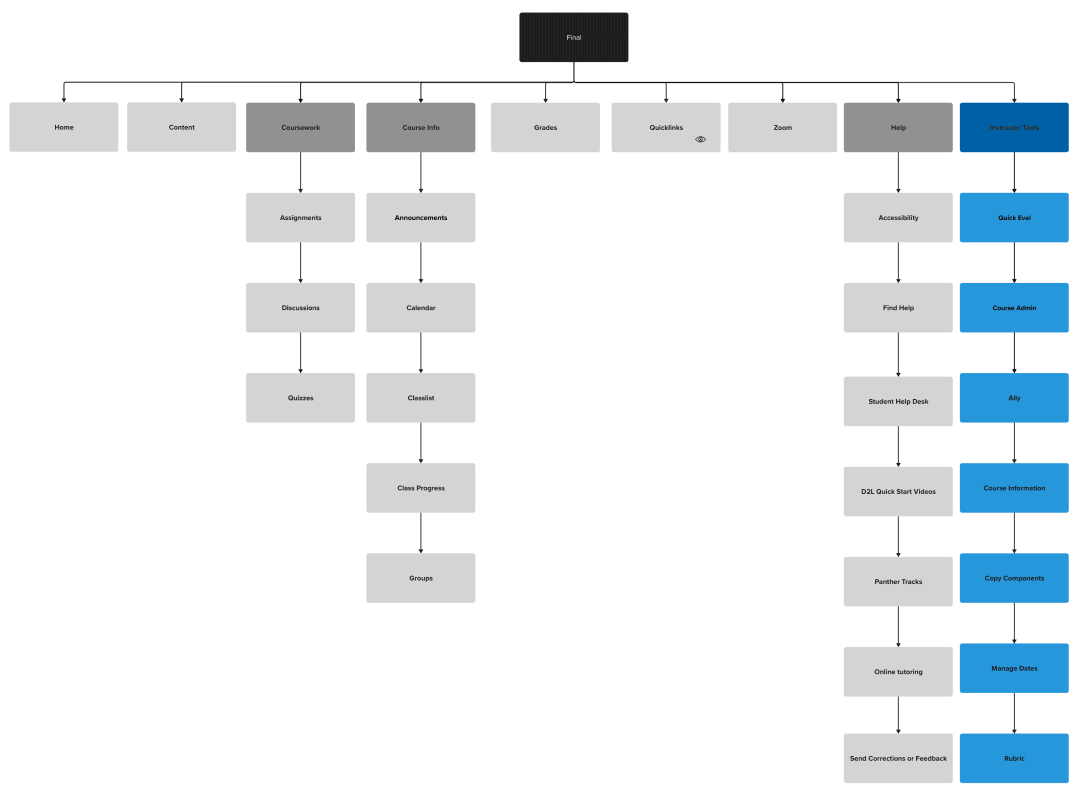
Final navigation menu site map
We took advantage of soft-launching the navigation menu during the summer term, which is relatively slower than other terms. We piloted the navigation menu with 16 courses.
79% of students found the new navigation menu easy to use.
85% liked the new navigation menu.
We wanted to be as informative as possible to instructors about the major change. Guidelines and best practices for the navigation menu were developed and published on the college's public website. These guidelines gave clear step-by-step step instructions on how to use custom links on the navigation menu without affecting the global navigation.
The navigation menu was fully piloted in the Fall term for all courses. It would now be used by 43,000 students annually.
This was an exciting project filled with extensive research. We wanted to meet both the needs of the instructors and students, but ultimately prioritized the student learning experience. I enjoyed conducting a usability study and look forward to doing more of that in the future. One thing I would do differently is soft-piloting with more courses to get a bigger pool of feedback. Knowing the impact my design decisions will have on a large number of students is super rewarding.